Redesigning Zineps
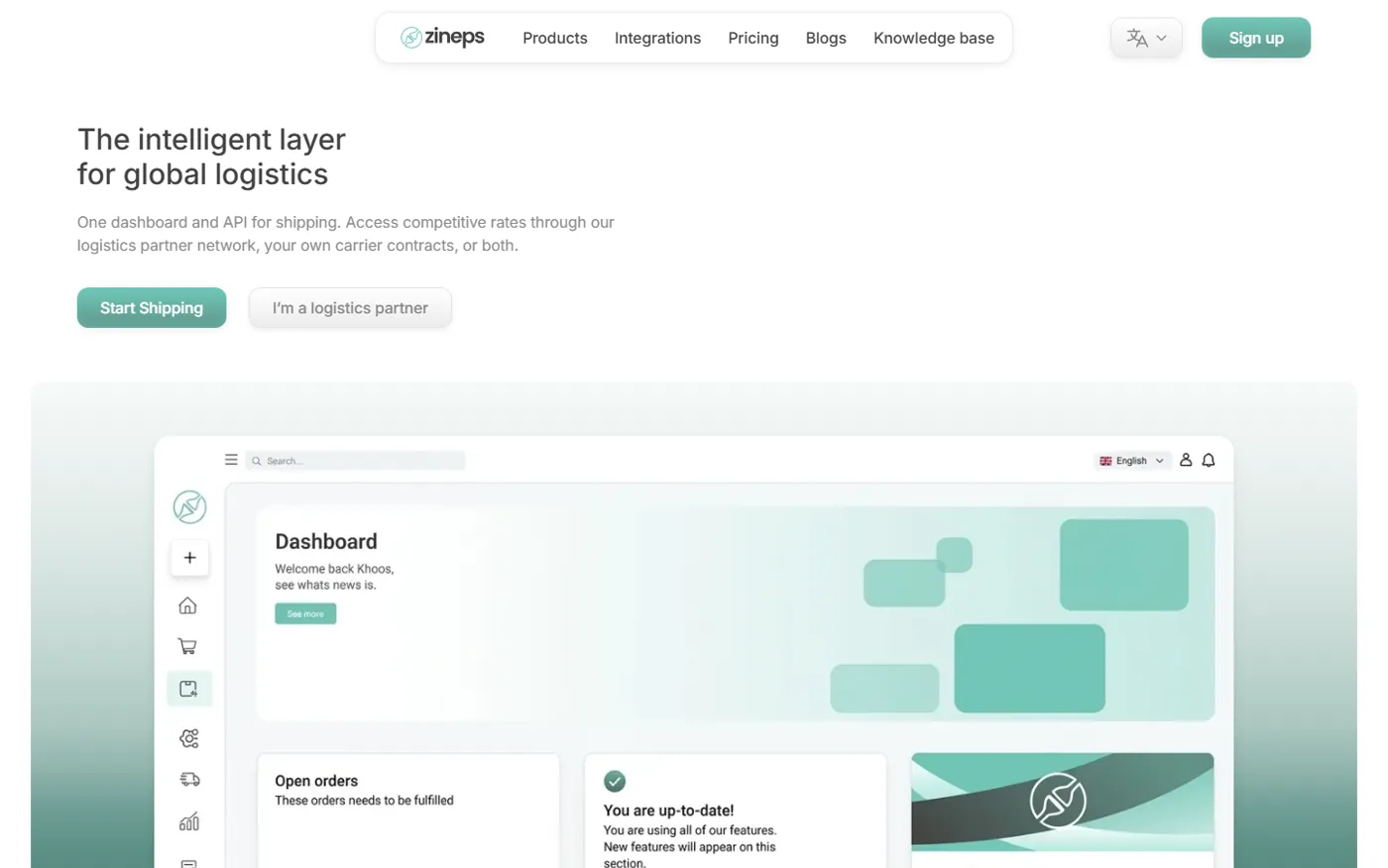
Zineps is a shipping platform from Amsterdam. Webshops use it to print labels, handle returns and pick carriers. Logistics partners use it to sell their rates and manage the merchants they already serve. The product is good. The landing page had grown one section at a time, and it showed.
This is how I redesigned it: what I looked at, what I cut, and the small design system I built so the result would stay consistent. The live version is at zineps-redesign.vercel.app, and the design file is on Figma.
How good teams approach a redesign
Before opening Figma I read how teams I admire handle this kind of work. Three ideas stuck with me.
Treat it as a reset, not a patch. Linear describes design debt as what builds up when every new feature adds weight to screens that were never designed to carry it. Their answer was to rethink every surface at once instead of fixing pages one by one. A landing page has the same problem on a smaller scale.
Scope hard, then move fast. In their UI redesign, Linear dropped navigation changes entirely because they were too risky, and argued that a redesign is better done quickly. A small scope you can finish beats a big one that drags.
Systems over screens. Linear brought each theme down from 98 color variables to 3 inputs. Ramp built its product graphics on a flexible "bento" grid that holds both quiet and dense visuals. Aave's refreshed identity pairs a display face for headlines with Inter for everything else. In each case the rules came first and the pages followed.
So the plan was: audit everything, cut hard, set up the foundations, and only then design screens.
The audit
I went through the live page section by section and asked the same question each time: what is this section for, and is anything else already doing that job?
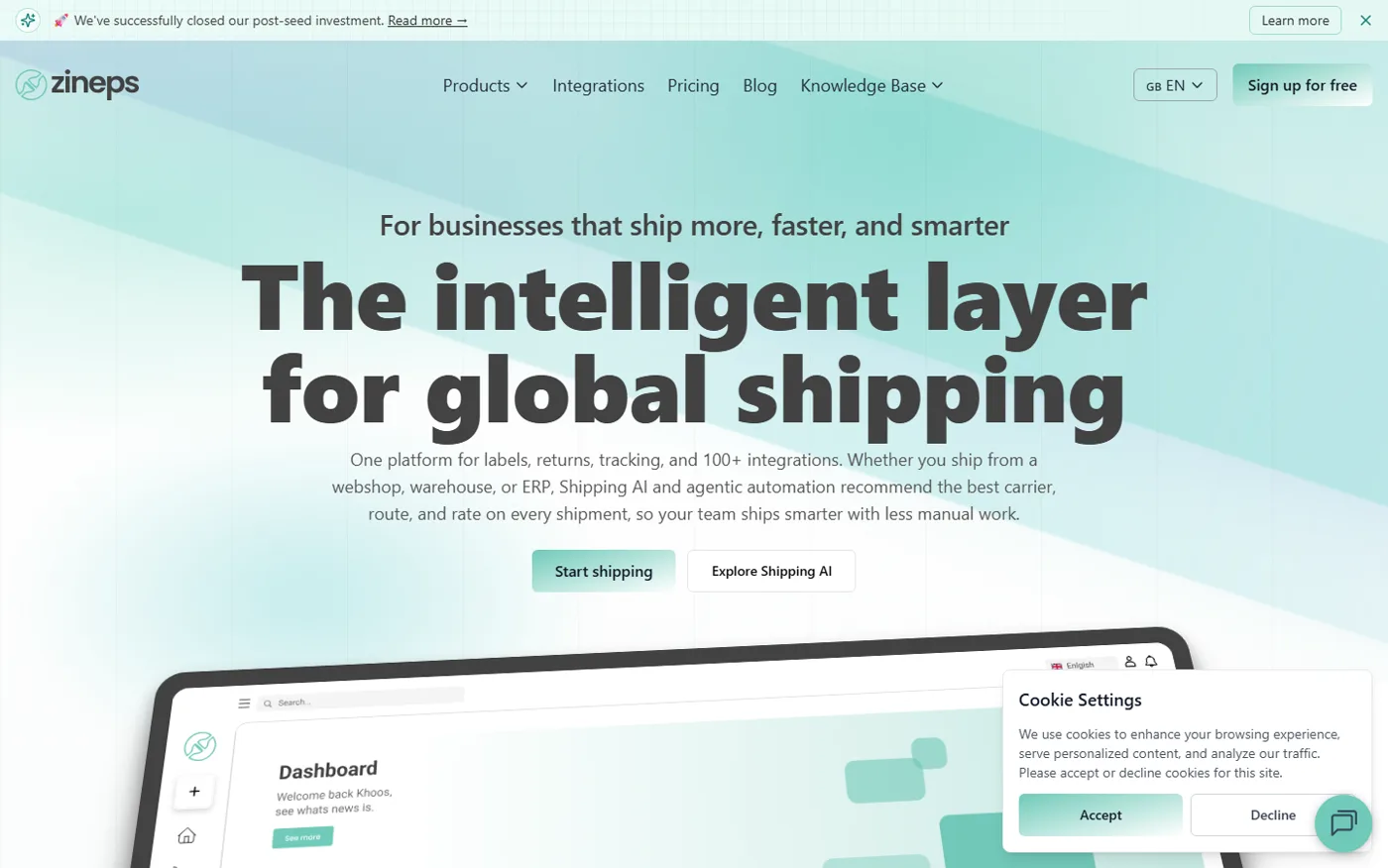
Here is what came up most:
- Everything was loud. The hero headline used a very heavy display weight, and almost every section heading copied it. When everything shouts, nothing stands out.
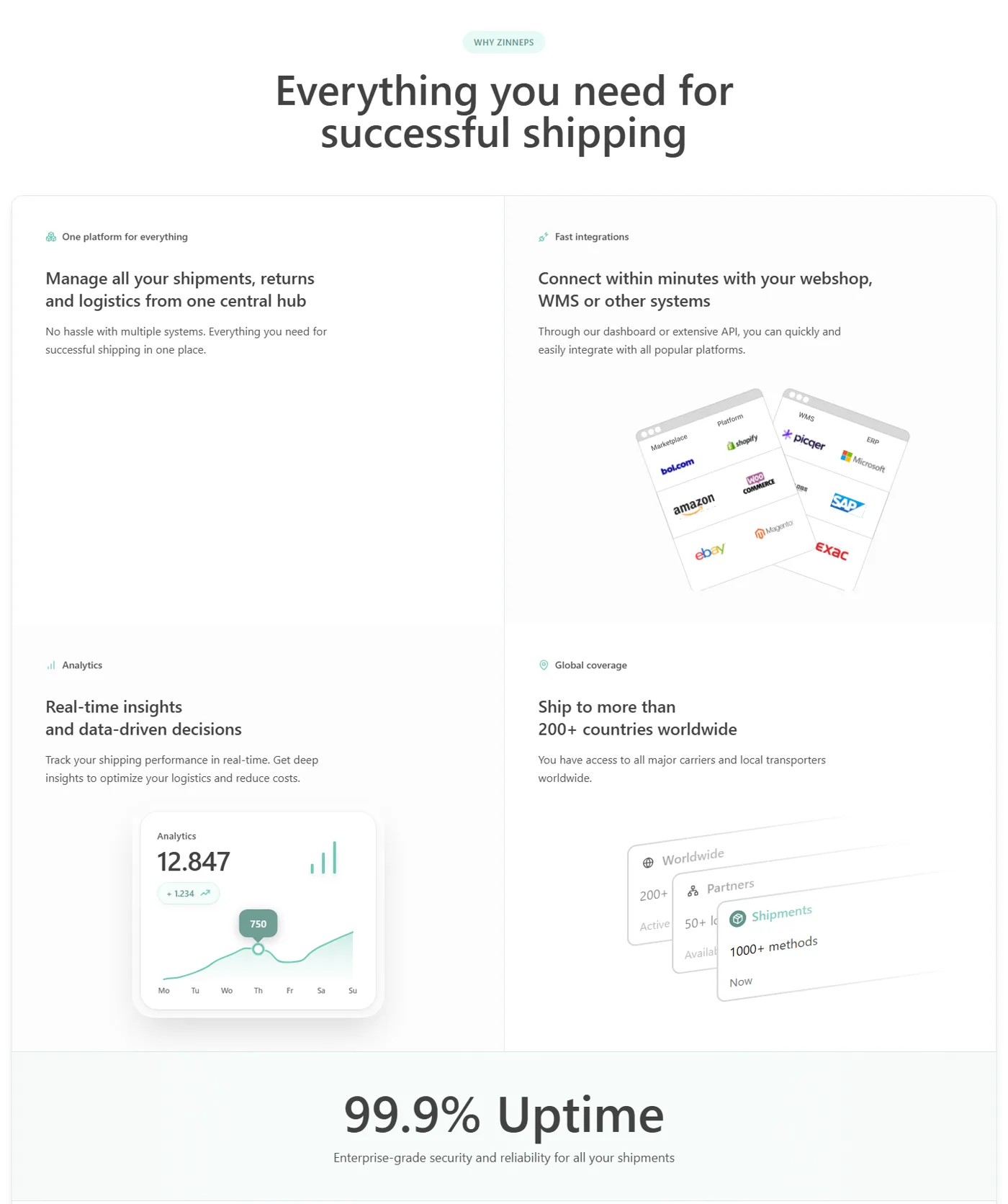
- The page kept repeating itself. "200+ countries", "100+ integrations" and "1000+ methods" showed up in several places. "99.9% uptime" was a full-width banner, then a card right underneath it saying the same thing.
- Too many endings. After the FAQ, the page asked visitors to act four more times: a "Ready to ship smarter?" block, a "Get started" banner, a pricing card and an integrations card.
- Half the audience was missing. Zineps sells to webshops and to logistics partners, but the hero only talked to webshops. Partners were barely mentioned before the FAQ.
- Small trust leaks. A "WHY ZINNEPS" label, a news card dated "December 25, 25", a Dutch "Wo" for Wednesday in an English chart, and a product image in the tabs section that never loaded.
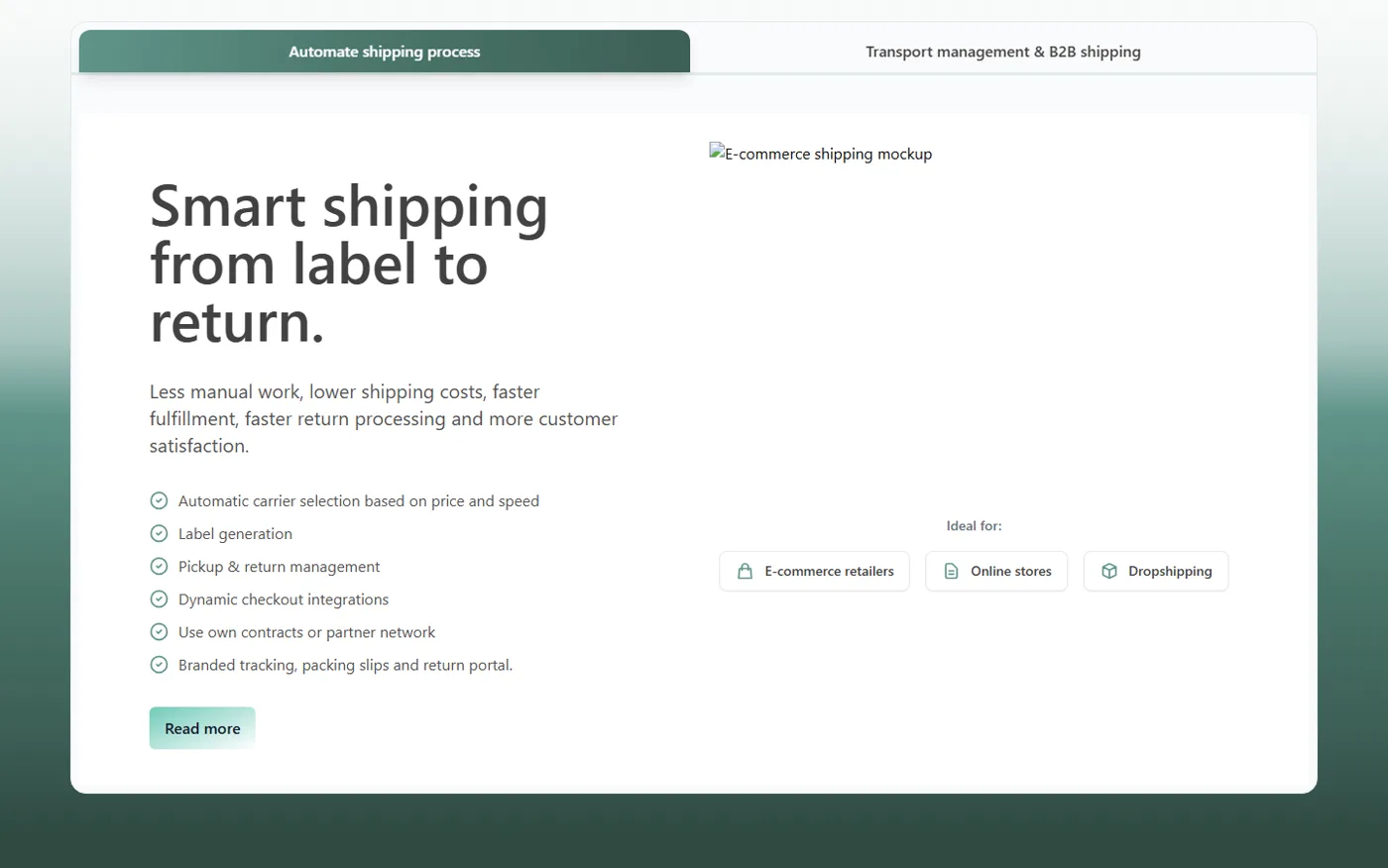
None of these is a big deal alone. Together they make a product look less careful than it is.
What I cut, and why
I sorted every section into keep, merge or cut.
- Announcement bar. Funding news belongs in the news section, which already covered it.
- "Ship smarter on every order." It repeated the Shipping AI pitch and the stats. Its stats moved into one stats band near the top.
- The second uptime block. One claim, stated once, inside the features grid.
- "Ready to ship smarter?" and the pricing and integrations cards at the bottom. They made the ending feel endless. One closing banner is enough.
- Four of the nine news cards. Five recent stories, consistent date format, no "NEWS" in capitals on every card.
- The four values cards ("Building together", "Personal contact"...). They could describe any company. The section heading stayed, now framing the newsletter signup.
The new page is about 1,100px shorter, even though it has three new sections. Every section that stayed now does one job.
What I added
Cutting is half the work. The other half was giving the second audience a place on the page.
- A second hero button: "I'm a logistics partner." Two audiences, two clear doors, right at the top.
- "Their buying power becomes yours." Partner rates were the strongest reason for a small shop to switch, and they were buried. Now they get their own section right after the logos.
- "The operating system for logistics providers." A dedicated section for partners: publish rates, manage contracts and margins, invoice, onboard existing merchants.
- "Start where you are." A closing split that sends each audience to its own next step.
Show the product, not a metaphor
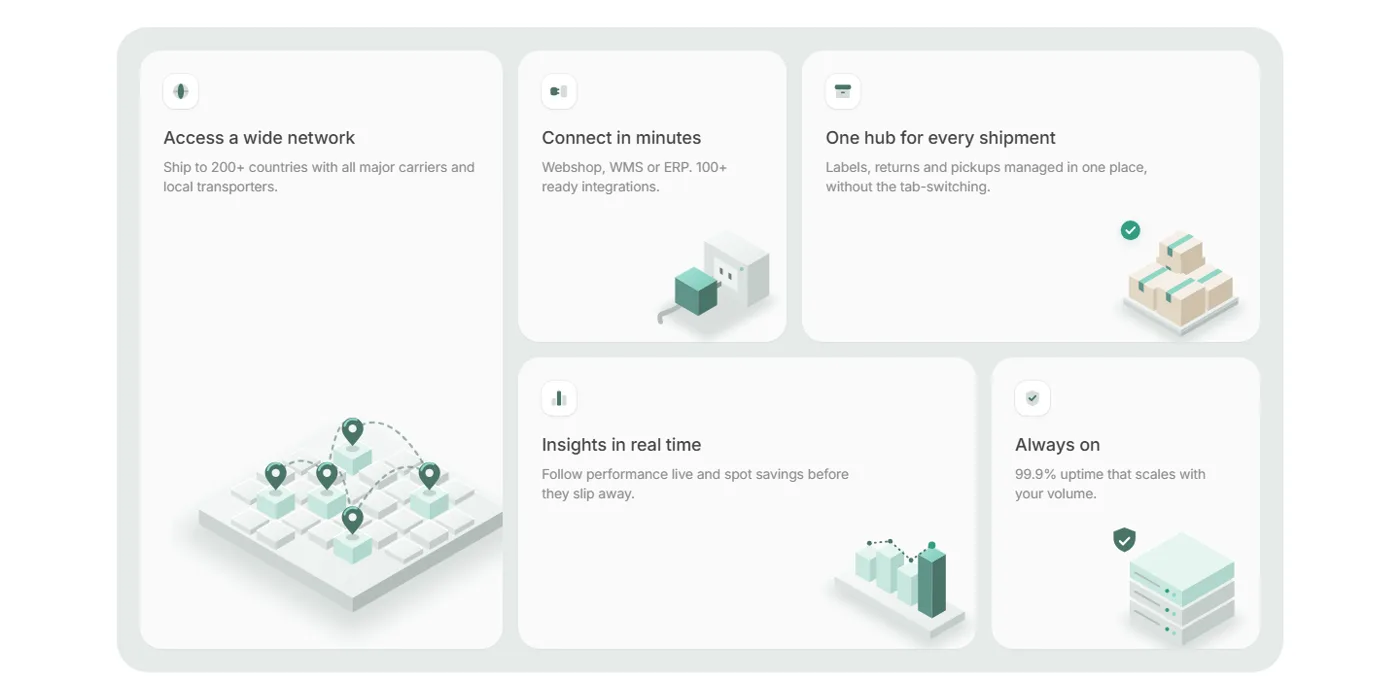
The original features grid mixed tilted mockups, floating cards, a line chart and a staircase line. One card had no visual at all. I rebuilt it as a bento grid with one illustration style: soft isometric objects in the brand greens, one per idea, with titles cut to a few words.
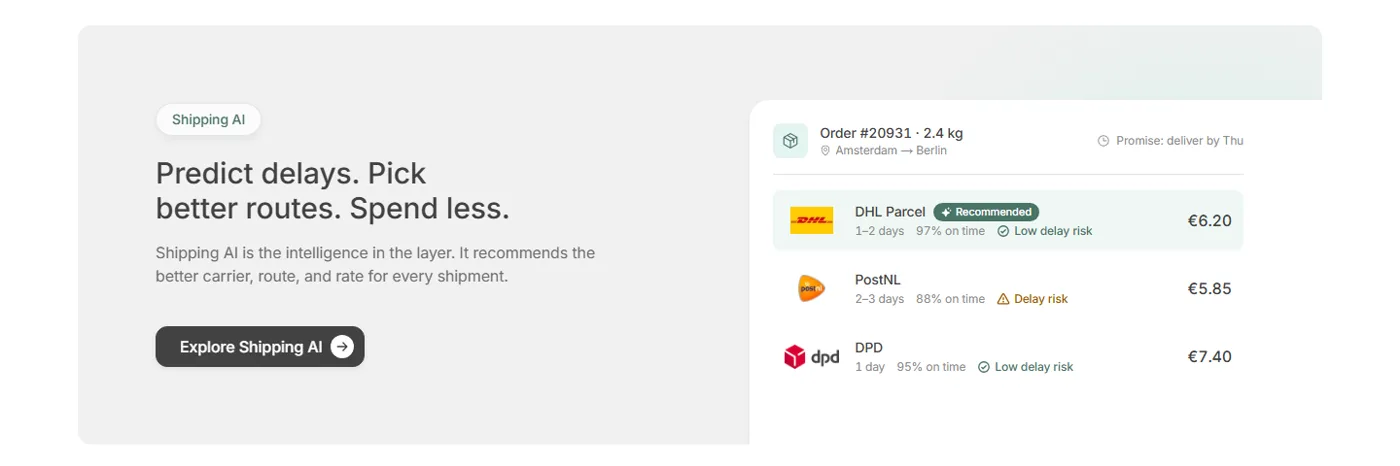
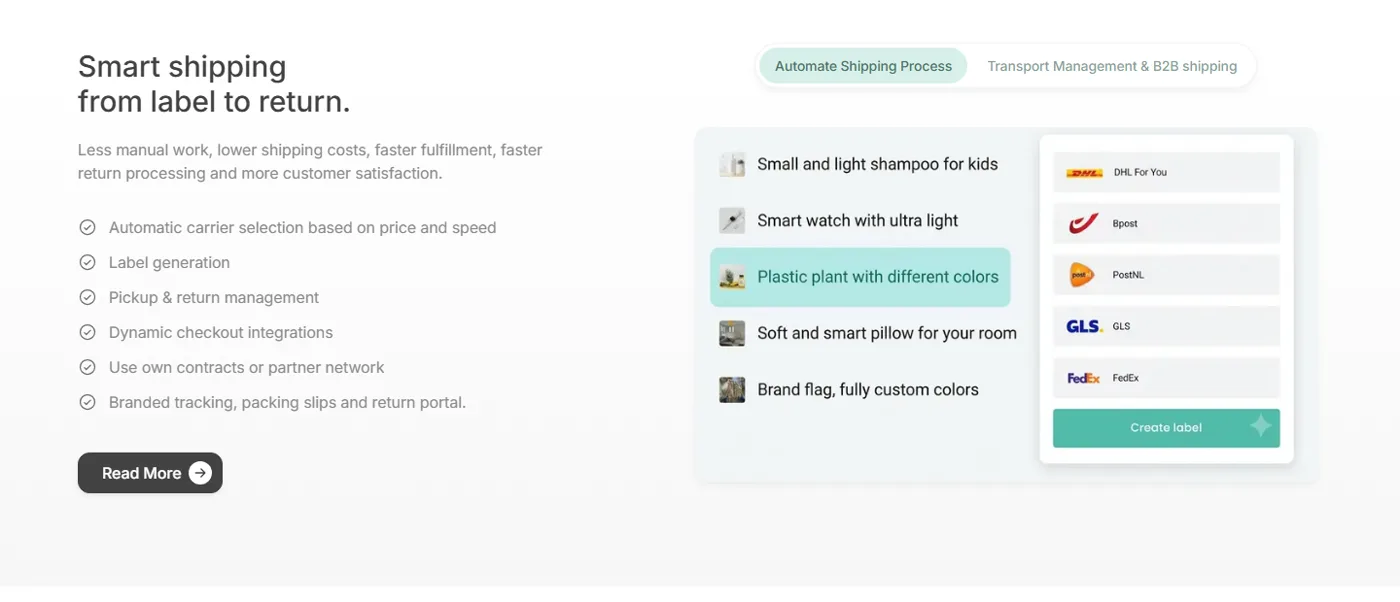
Shipping AI got the same treatment. Instead of a banner saying it "recommends the better carrier", the section now shows a real looking order going from Amsterdam to Berlin, with three carriers compared by price, speed and on-time rate, and one marked as recommended. You understand the feature in two seconds without reading the copy.
Building the design system
I didn't start from a UI kit. I started with a handful of decisions and wrote every one of them down.
Type: one family, two weights
Everything is Inter at 400 or 500, with a slight negative tracking (-0.0075em). No bold anywhere. The hero headline and every section heading share one size. Hierarchy comes from space and placement instead of weight, which is most of why the page feels calmer.
There are only seven text styles, and each one lists exactly where it is used:
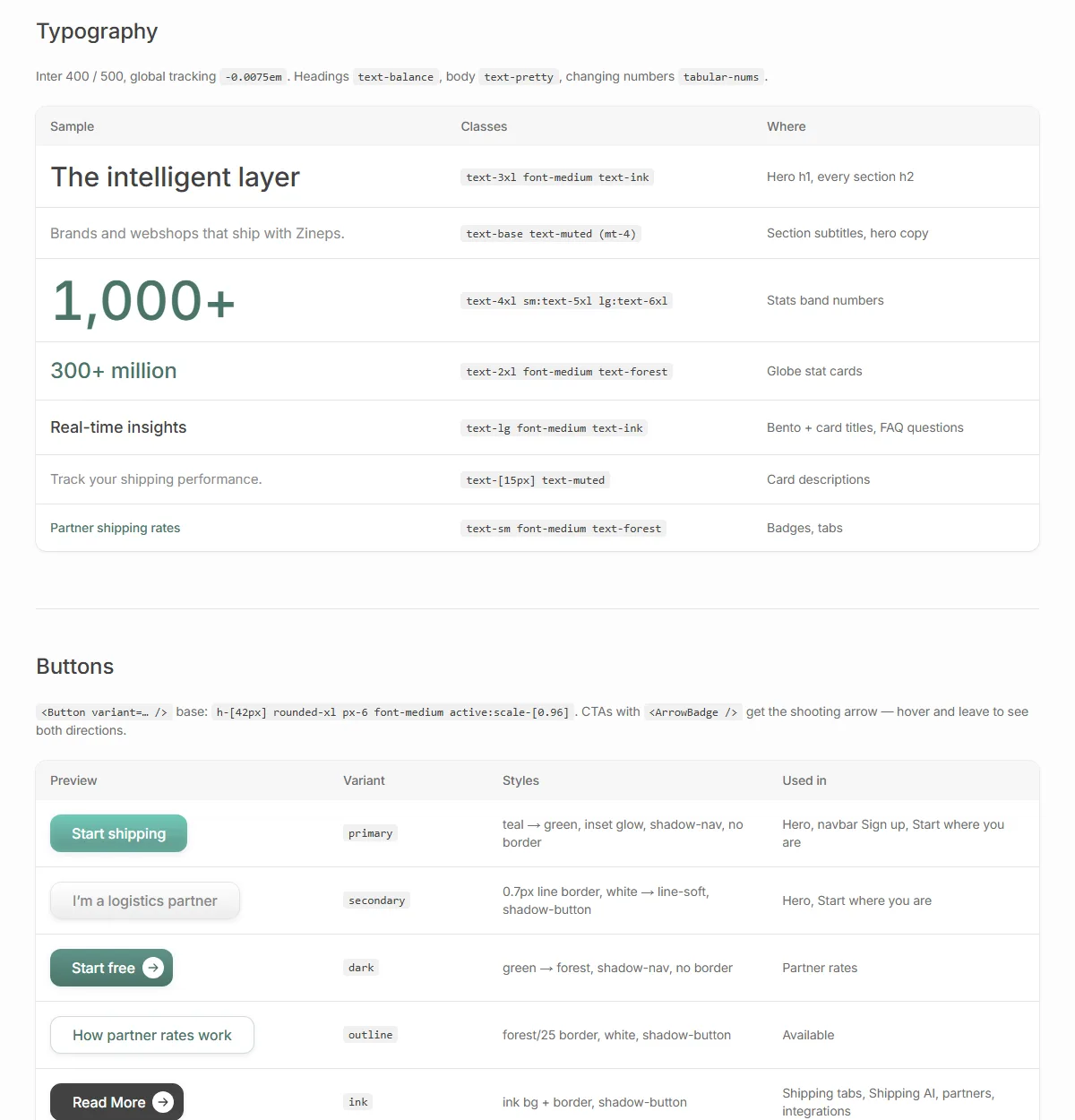
Headings use text-balance, body copy uses text-pretty, and numbers that animate use tabular-nums so they don't jitter as they count up.
Color: a green ladder and warm greys
The old site used a teal and a gradient. I turned them into a named scale running from almost white to almost black, plus a set of neutrals. Like Notion, the darkest text is a soft #424242 instead of pure black.
Each color has one job: mint-mist for card surfaces, forest for numbers and badge text, teal → green for the main button, ink for headings. When a new section needs a color, the answer is already in the list.
Buttons, spacing and motion
- Six button variants, all built on one base: 42px tall,
rounded-xl, medium weight, and a slight shrink to0.96on press. The primary button has a soft inner glow so it feels pressable without a heavy shadow. - Two spacing tokens do most of the work: 164px between sections (124 on tablet, 96 on phone) and 64px from a section heading to its content. Fixed gaps give the page a steady rhythm.
- Motion with a reason. Content fades and rises 16px once as it enters the view. Stats count up once. Tabs slide in the direction you clicked. Everything respects reduced motion, and the logo marquee pauses for those users.
The playground
The most useful part of the system is a page users never see: /playground. It lists every token, component and animation on the site, and for each one, where it is used.
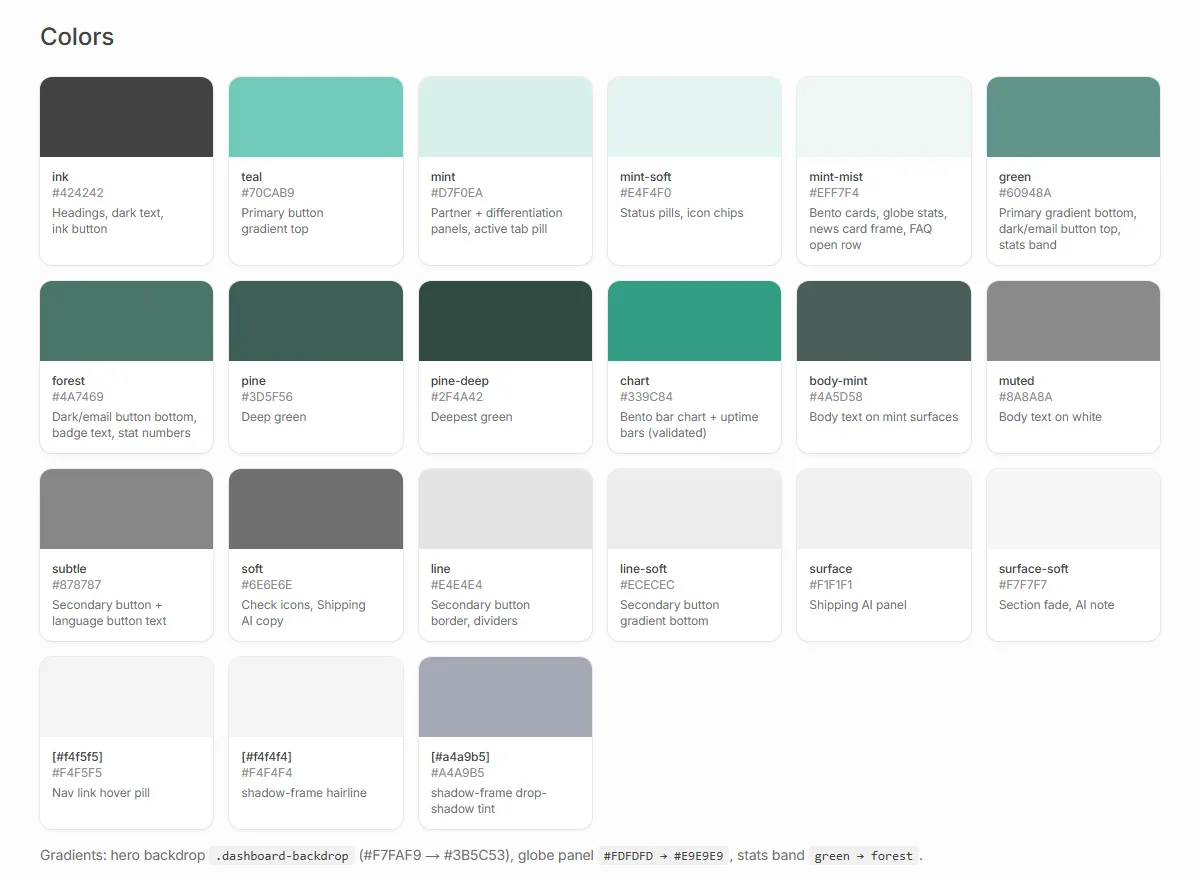
The "where" column matters most. A token nobody uses gets deleted. Two tokens doing the same job get merged. It works like Linear's 98 variables down to 3, just at a smaller scale: the system stays small because every piece has to show what it is for.
What I'd do next
- Fewer radii. The page uses more corner radius values than it needs. Nested cards should derive theirs from the outer card instead of picking a new number.
- Dark mode. The green ladder should map over well, but it still needs its own pass.
- Test the partner path. The partner button is a guess backed by how the business works. Real numbers on who clicks it would settle that.
Takeaways
- Audit before you design. Most of the improvements here came from removing things, not adding them.
- Design for every audience the business has, not just the loudest one.
- Show the product doing its job. One real looking recommendation beats a paragraph about AI.
- Write the system down, with where each piece is used. That is what keeps it small.
If you are working on something similar, or want to talk about it, my inbox is open.